> For the complete documentation index, see [llms.txt](https://www.csvpath.org/llms.txt). Markdown versions of documentation pages are available by appending `.md` to page URLs; this page is available as [Markdown](https://www.csvpath.org/topics/how-tos/parquet.md).
# Parquet
How to use CsvPath Framework to output Parquet files
CsvPath Framework can create Parquet files for schema entities in tabular data files. *(I.e., CSV, Excel, JSONL, and data frames).* Parquet files are created in addition to the usual CsvPaths run output files.
To output to Parquet you create a schema entity. This is similar to defining a table in SQL. Usually when we create CsvPath Language schemas we use the `line()` function. (Read [more about `line()` entities here](/topics/higher-level-topics/validation/schemas-or-rules.md) and also [see these examples](/getting-started/the-flightpath-data-examples/schemas.md)).
Instead of `line()` we're going to use `parquet()` for the same entity creation, but this time with `.parquet` file output. For example, let's start with a `person` entity like this:
```json
line.person(
string.firstname(#0),
string.lastname.notnone(#1)
)
```
This says that a `person` has a `firstname` and a `lastname`. `firstname` is populated from the first header, `#0`, and `lastname` from the 2nd header, `#1`. When we apply this schema to a data file the lines that fit this model match and are collected.
We want to output the matching data to a `.parquet` file. We do this by creating our `person` entity using the `parquet()` function, instead of the `line()` function:
```json
parquet.person(
string.firstname(#0),
string.lastname.notnone(#1)
)
```
When we apply this version of our schema to our data file, any lines that match the `person` entity are captured to a `person.parquet` file in the run dir. More specifically, the parquet file lands in the folder containing the outputs for the specific csvpath statement that includes our entity. So, for instance, our csvpath might look like this:
```
~ id: person ~
$[*][
parquet.person(
string.firstname(#0),
string.lastname.notnone(#1)
)]
```
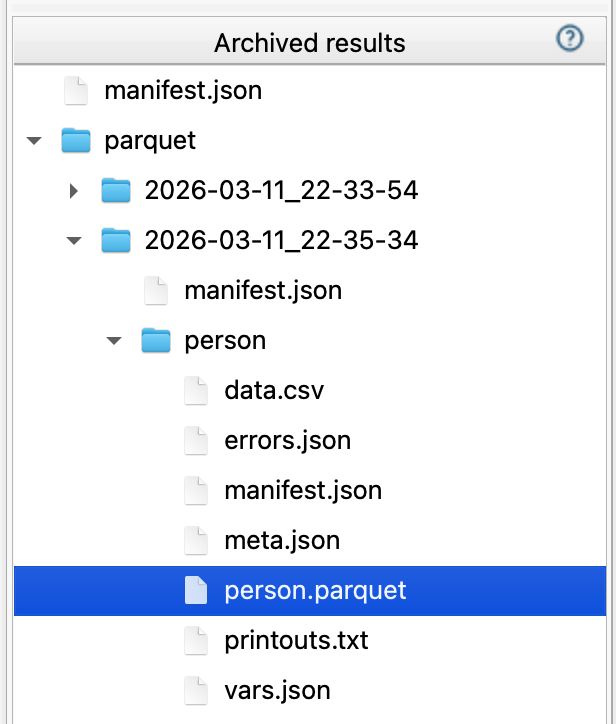
That would result in output like this:
You can see that the `data.csv` is still created. `data.csv` captures all matching lines. Our `parquet()` entity is a schema entity that determines if a line matches. In that it is very much like using `line()`. However, the `person.parquet` file we are creating only captures the entity data, not the whole line.
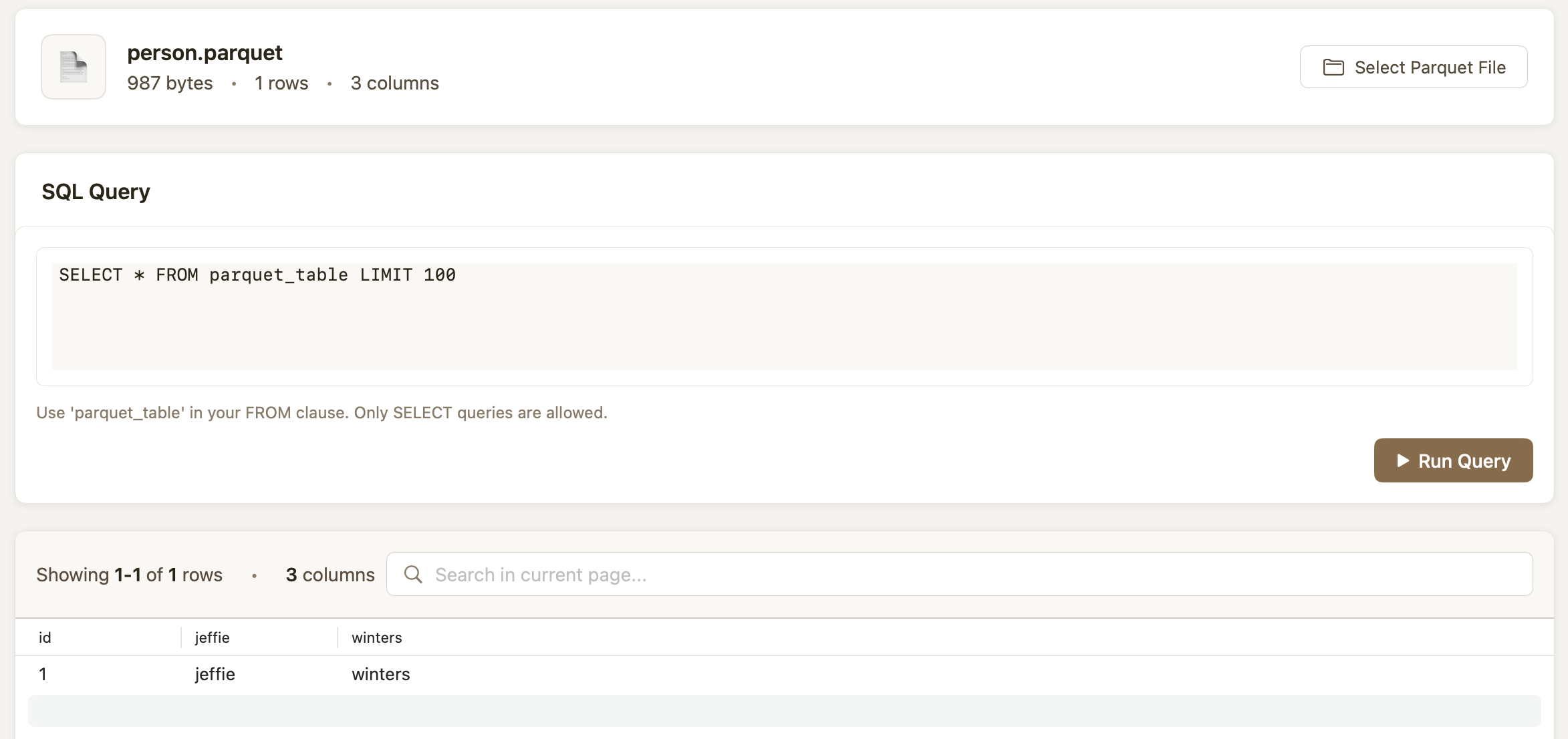
Using a Parquet tool we can query this file using
```
SELECT * FROM parquet_table
```
You can use as many `parquet()` entities as you like in a csvpath statement. And you can move Parquet files using [`transfer-mode`](/topics/practical-stuff/the-modes.md) or the [SFTP integration](/topics/how-tos/sftp/sftp-export.md), just like any run-generated file.
As said above, the data captured is more specific than what is collected into data.csv. If you want to capture matching data irrespective of if a line matches, you can use the `nocontrib` qualifier. In this case, `nocontrib` is building a wall between a `parquet()` entity and the contributions of other match components, so that you capture matching data to Parquet, even if it comes from a line that won't get captured to `data.csv`.