
# Working With Error Messages

The CsvPath Framework has rich and flexible built-in error handling. Let's look at how you can use it in the CLI.

For this how-to, create a CsvPath project called `title_fix`. *(We're not going to actually fix titles in this example, that's just a handy example project).* Using Poetry, that would be something like:

```sh
poetry new title_fix
cd title_fix
poetry add csvpath
```

Drop these files in an `assets` directory (or wherever you like).

{% file src="/files/R6jDsx2A2SZplMLy85Qh" %}

{% file src="/files/kQN4TJZEAEtnxmsMrk0n" %}

If you haven't seen this data file before, it is a small cut of a public dataset of books checked out in the Seattle library system.&#x20;

When your project is ready, fire up the CLI with `poetry run cli`. When you do that CsvPath will create directories for config, logs, etc. We don't need to work on them yet, though.

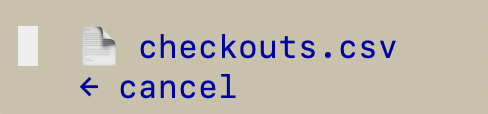
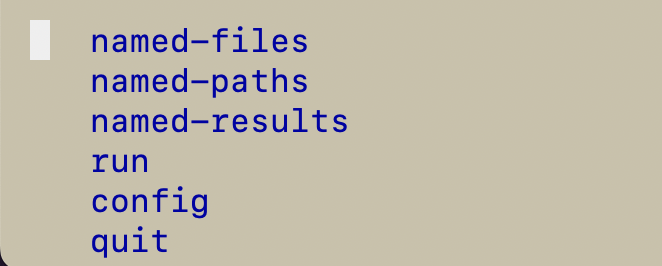
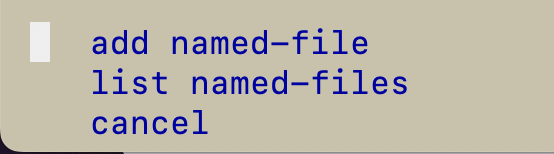
First, add the named-file:&#x20;

<figure><img src="/files/8HYEn3Xu3ehvmG1weFI3" alt="" width="331"><figcaption></figcaption></figure>

<figure><img src="/files/Q8S2ydxOyP1qmhH2c43w" alt="" width="277"><figcaption></figcaption></figure>

<figure><img src="/files/MYOjzU43t0v2Yivgd7oC" alt="" width="303"><figcaption></figcaption></figure>

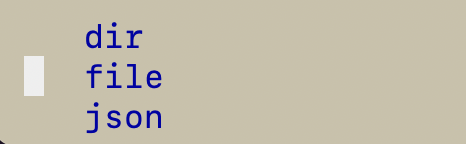
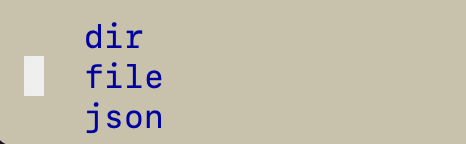
<figure><img src="/files/ZYD9uWP2SZYibbZR95tu" alt="" width="233"><figcaption><p>Our data is a single file so just select the file option</p></figcaption></figure>

<figure><img src="/files/Ih9AiIOdKpMkkh7LKzXd" alt="" width="244"><figcaption></figcaption></figure>

Next, add the named-paths group:

<figure><img src="/files/fC1kBPg20bWjrvwT8uL1" alt="" width="253"><figcaption></figcaption></figure>

<figure><img src="/files/5xmrFkdurx2KcZalTbqZ" alt="" width="375"><figcaption></figcaption></figure>

<figure><img src="/files/lNiZrRtjCY0F2PjK7FRS" alt="" width="233"><figcaption><p>Select file and navigate to your csvpath file</p></figcaption></figure>

<figure><img src="/files/oKAqkLNhKHpN2RRToiQA" alt="" width="219"><figcaption></figcaption></figure>

<figure><img src="/files/gcEiBBpLlY5SwXK1yk7l" alt="" width="375"><figcaption></figcaption></figure>

Now we're ready to run. At the top menu, click `run`.

<figure><img src="/files/TBPIqVFB9hHe21EteMQT" alt="" width="375"><figcaption></figcaption></figure>

<figure><img src="/files/Wanc4rTwMBovK6qcOYHS" alt="" width="375"><figcaption><p>I happen to have two csvpaths. You'll just see the one you added a moment ago.</p></figcaption></figure>

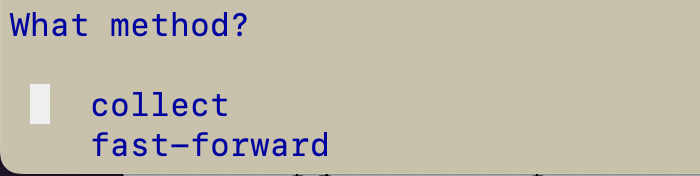
<figure><img src="/files/sTeQuLjK3eEGYqDNVnmD" alt="" width="350"><figcaption><p>Either method works, but let's go with collect</p></figcaption></figure>

And we're off and running.&#x20;

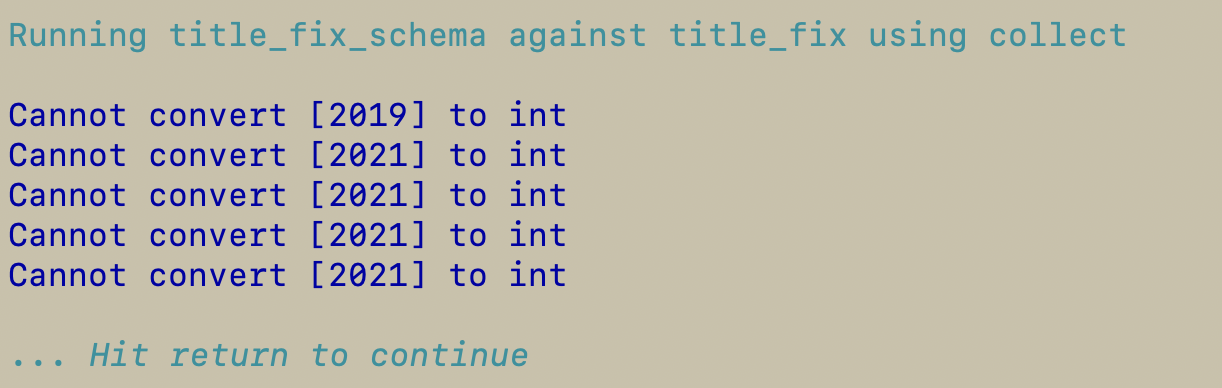
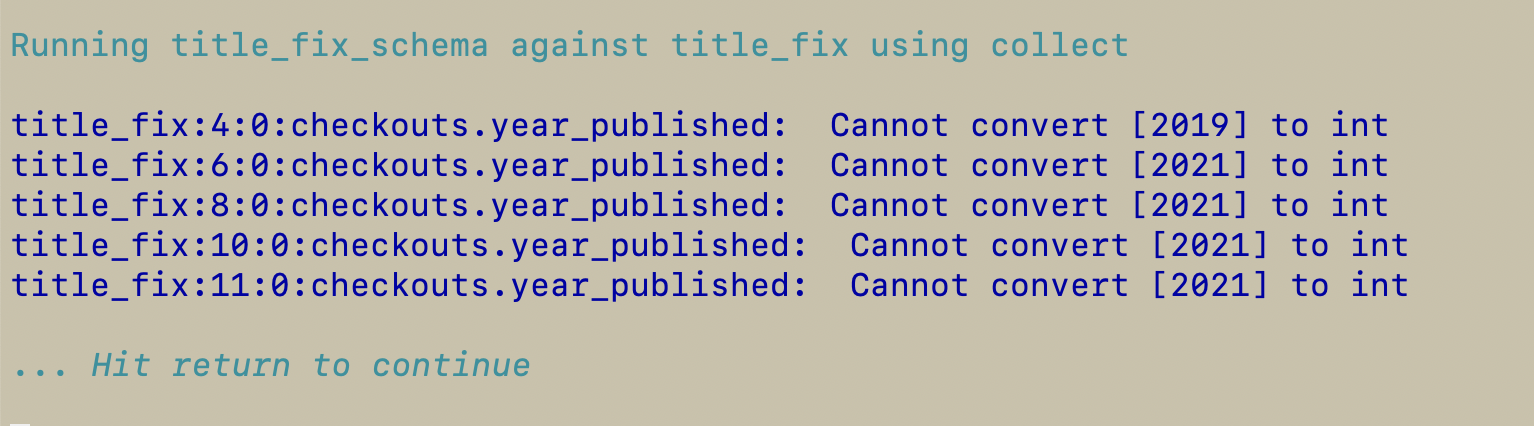
This is where it gets interesting. Your results should look like this:

<figure><img src="/files/smWIuo0jeLMhgx9qH373" alt=""><figcaption></figcaption></figure>

What you are seeing is five errors. The left part of each line is a set of information intended to tell you exactly where the problem happened. The last part on the right is the error message. In this case, numbers in brackets were rightly deemed to be invalid integers.&#x20;

The amount of detail you see here is intended to help you, as a csvpath writer, diagnose a problem brought to you by an ops team member after an error was observed in production. As you may know, there is far more information available in the metadata captured by the CsvPath Framework — all so you can answer the question: *what just happened?* And then do something about it.

Let's break down a line of what you're seeing:&#x20;

```log
2025-02-06 23h45m41s-835847:title_fix:4:title_fix_schema:0:checkout.integer[11]:  Cannot convert [2019] to int
```

These are the fields:

* time: `2025-02-06 23h45m41s-835847`
* named-file: `title_fix`
* line: `4`
* named-paths: `title_fix_schema`
* chain: `0:checkout.integer[11]`&#x20;
* message: `Cannot convert [2019] to int`

The `chain` field may be new, let me explain. This field points uniquely to the match component that was the source of the error. In this case `0` is the index of the component. The 0th match component in our csvpath is `line.checkout()` . The `line()` function is how we define schema entities. This entity is called `checkout`. Within checkout we have 12 fields, starting with these three strings:

```python
string.notnone(#UsageClass),
string(#CheckoutType),
string.notnone(#MaterialType),
...
```

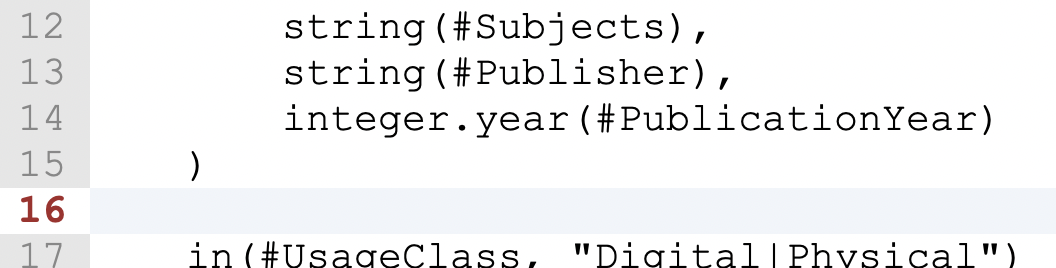
The `integer[11]` part of the chain says that we should look at the function in position 11 (the 12th function within `line()`, because 0-based). That integer on line `4` of the data file is the source of the validation error. Admitedly this would be easiler to read if we named our functions better. So let's quickly do that in the csvpath:

<figure><img src="/files/GfzbVymSPix2uslK2Kpx" alt="" width="375"><figcaption><p>Our integer is now a year</p></figcaption></figure>

The result of running the modified csvpath is a nicer error message:&#x20;

```log
2025-02-07 00h00m57s-958206:title_fix:4:title_fix_schema:0:checkout.year:  Cannot convert [2019] to int
```

It's easy to see that the 0th match component is an entity called `checkout` and on line `4` its year was invalid. Not bad. But can we do better? Maybe we don't need all this information right at the moment.

There are two directions to go at this point. On the one hand, we can cut out the extra info by switching it off. Or, on the other hand, we can streamline things by defining a simpler pattern. Let's do both, in order.

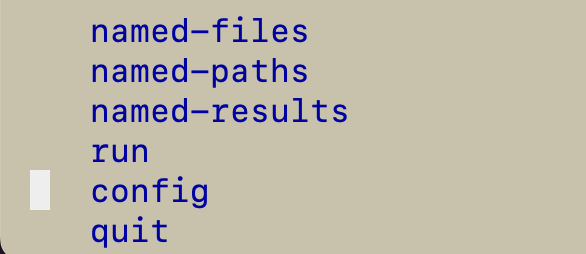
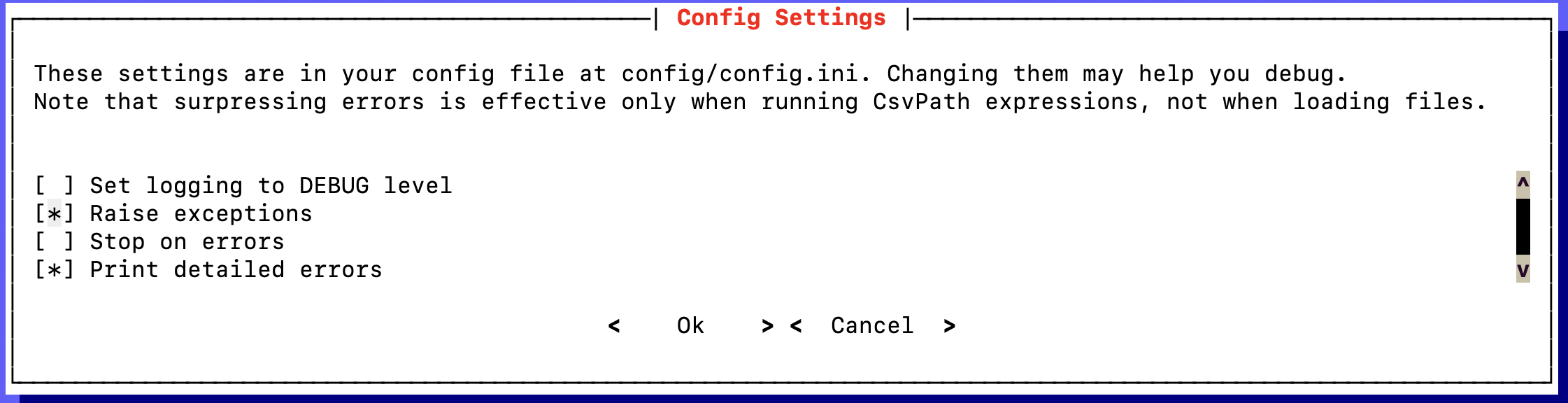
At the CLI's top menu select `config`. This opens a dialog that allows you to tweak a few config options that are most useful for debugging.&#x20;

<figure><img src="/files/yw5F9srluKEtq7YQVQSl" alt="" width="293"><figcaption></figcaption></figure>

<figure><img src="/files/aUcIj6huUin0PC4D4E98" alt=""><figcaption></figcaption></figure>

The CsvPath Framework separates some config options into a `CsvPath` instances setting vs. a `CsvPaths` instance setting. When you use the CLI you always have a `CsvPaths` instance that manages one `CsvPath` instance per csvpath expression in a named-paths group.&#x20;

When you use this dialog you will be setting both the parent `CsvPaths` and its `CsvPath` children to behave the same way. When you step away from the CLI and work programmatically you can be more specific, if needed. The option to split the config makes a difference to ops because the system that runs validations has different error reporting needs from the validations themselves. That's a whole other interesting conversation.

In this page we're all about the last option in the dialog: `Print detailed errors`. As you can imagine, this is where we can choose to not see all those fields we talked about above. First, however, a more general word about debugging.

## Be careful what you ask for

One of the challenges with CsvPath Framework and CsvPath Language is their flexibility. There's generally a few ways to attack a problem. That means you have to be careful to think through what you're seeing when you debug. This dialog is a case in point.

If you set `Raise exceptions`, your runs will stop at the first problem encountered. Likewise, if you select `Stop on errors` the Framework will stop when it runs into an issue; it won't, however, throw an exception — again, the difference is an operational concern. If you want to see all your errors at once you need to suppress exceptions and not stop at errors. But keep in mind, it is possible to halt on an error, or on the use of `stop()`, without there being an error message. Likewise, it is possible to suppress exceptions and then not realize you encountered them.

All of this gets even more fun when you remember that a csvpath writer can override the Framework's config settings on a csvpath-by-csvpath basis using [the modes](/topics/practical-stuff/the-modes.md). The reason the modes exist is so that ops teams can set a standard config that csvpath writers can override during development or because they have more specific requirements and/or greater knowledge of the data.

All this flexibility is there for important operational reasons. You just have to be mindful of it.&#x20;

## Back to error messages!&#x20;

Uncheck `Print detailed errors`, if it is selected. When you hit `Ok` (use `tab` or the mouse) you are setting a key in the errors section of `config/config.ini`: `use_format`. `use_format` is either `full` or `bare`.  What we saw above was `full`. Now you've set CsvPath Framework to report errors as leanly as possible:&#x20;

<figure><img src="/files/ikWHXZ1zoFG6MxbttQIv" alt="" width="375"><figcaption></figcaption></figure>

Nice and clean, right?  But you don't see a line number. A line number may be useful information for larger files than our example data. We can add that back in by turning detailed errors back on but also customizing the message pattern. Go ahead and open the config window and reset `Print detaled errors`.&#x20;

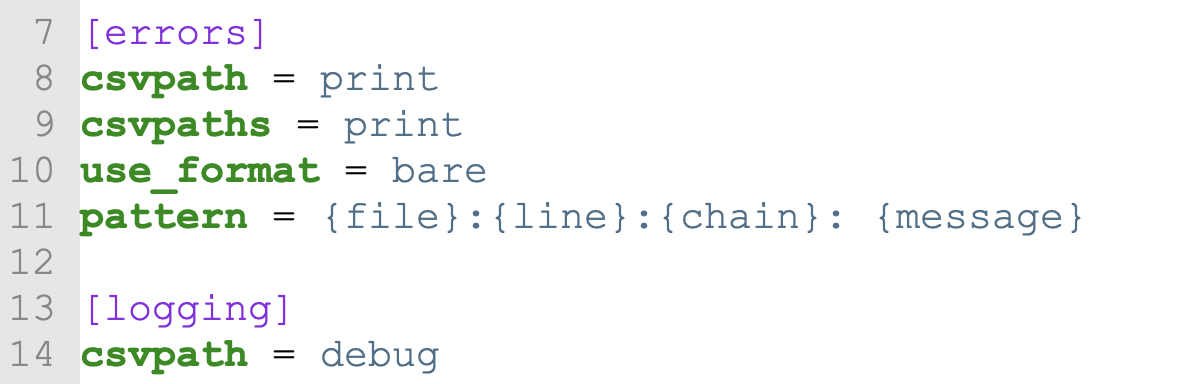
To set the new pattern we have to exit the CLI. The CLI is constantly improving, but at this time it does not offer a way to change the `[errors] pattern` key. No matter, editing `config/config.ini` is painless. Open it and look near the top for the `[errors]` section. If you don't see a `pattern` key you can add one. (It should be there in the auto-generated `config.ini`, but if you are using an older CsvPath Framework install you may need to add the key yourself.)

<figure><img src="/files/dlKW2raYR1qWUq6sGfNZ" alt="" width="375"><figcaption></figcaption></figure>

Create a pattern like the one shown above: `{file}:{line}:{chain}:  {message}`. Then save `config.ini` and restart your CLI.&#x20;

Now when you run the `title_fix` named-file against the `title_fix_schema` named-paths you will get a less cluttered set of messages with just the information you need to start debugging your data and/or csvpaths.

<figure><img src="/files/saqZHjJQGBfHOTojlCDH" alt="" width="375"><figcaption></figcaption></figure>

One last call out. If you haven't tried creating rules-based error messages using the `error()` function you should. The `error()` function allows you to generate error messages that are co-equal to the built-in validation errors CsvPath Language provides. That means that when you do something like:&#x20;

```python
not( #PublicationYear ) -> error("You must provide a publication year")
```

Your error message will be available with the same fields as the built-in error would have — or none, if you turn the details off. And your error will be generated into the `errors.json` file that captures all of a run's errors in a machine-friendly format. Pretty cool, right?&#x20;


---

# Agent Instructions: Querying This Documentation

If you need additional information that is not directly available in this page, you can query the documentation dynamically by asking a question.

Perform an HTTP GET request on the current page URL with the `ask` query parameter:

```
GET https://www.csvpath.org/topics/practical-stuff/working-with-error-messages.md?ask=<question>
```

The question should be specific, self-contained, and written in natural language.
The response will contain a direct answer to the question and relevant excerpts and sources from the documentation.

Use this mechanism when the answer is not explicitly present in the current page, you need clarification or additional context, or you want to retrieve related documentation sections.