> For the complete documentation index, see [llms.txt](https://www.csvpath.org/llms.txt). Markdown versions of documentation pages are available by appending `.md` to page URLs; this page is available as [Markdown](https://www.csvpath.org/topics/how-tos/rewind-replay/doing-rewind-replay-part-2.md).

# Doing rewind / replay, part 2

While the Python we used to drive [Rewind / replay, part 1](/topics/how-tos/rewind-replay/doing-rewind-replay-part-1.md) was not complicated, using the CLI would be even quicker and in a triage situation might be a better option. So let's try that.

We'll use the same data and csvpaths for this second example. Only our use of the CLI is different. Because it is the same activity we'll do it quickly and let you refer back to part 1 for the background information.

Here are our files. Two sets of three csvpaths and one data file.

{% file src="/files/HtzRisx5RsnAZgxb8iuw" %}

{% file src="/files/M82QreVQYVHWgMEjzeta" %}

{% file src="/files/Rv5bnxhFOIQEQDyiz3IF" %}

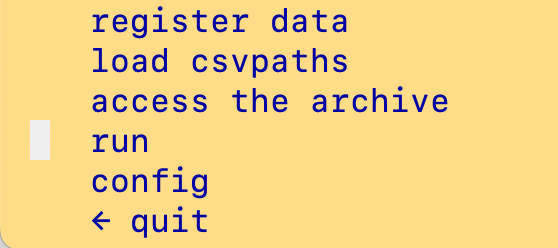
You stage the data and load the csvpaths like this:&#x20;

<div><figure><img src="/files/AXQhKTCk3m94ji6oPnZ5" alt=""><figcaption></figcaption></figure> <figure><img src="/files/fsDvsBLmssg5VvLr02qj" alt=""><figcaption></figcaption></figure> <figure><img src="/files/2iVH8X9NAgSP4kjGPLeo" alt=""><figcaption></figcaption></figure> <figure><img src="/files/iCbOV3uH2ekmI7fVMD9j" alt=""><figcaption></figcaption></figure> <figure><img src="/files/wMeocRamarg7ZwwgdsuT" alt=""><figcaption></figcaption></figure> <figure><img src="/files/MLOoql4GaIC7mPOHVpVt" alt=""><figcaption></figcaption></figure> <figure><img src="/files/V5TgGmVglX1WmQ1i6wzt" alt=""><figcaption></figcaption></figure> <figure><img src="/files/e9WnZLq1SwfdXZzqrWt3" alt=""><figcaption></figcaption></figure> <figure><img src="/files/OZfoPvFfQt0vLCTSEnMe" alt=""><figcaption></figcaption></figure> <figure><img src="/files/oloXDd0zr96KhZ2o0UAr" alt=""><figcaption></figcaption></figure> <figure><img src="/files/o8OijA3peSuOhulYwYHF" alt=""><figcaption></figcaption></figure></div>

Next, run the original from `sourcemode.csvpaths`. We're using the version where the `source2` csvpath has the word `working`. Here are the steps:

<div><figure><img src="/files/mtIGTr6uGpj7hYuGGhZh" alt=""><figcaption></figcaption></figure> <figure><img src="/files/AoApAqI5PB5EuhmMenA6" alt=""><figcaption></figcaption></figure> <figure><img src="/files/0HGmVj2qYQiRh4vNw1XG" alt=""><figcaption></figcaption></figure> <figure><img src="/files/OkA6ZjYs85LDjq3CpoKw" alt=""><figcaption></figcaption></figure> <figure><img src="/files/DJqaQSfJQ6OTIq2DYqN8" alt=""><figcaption></figcaption></figure></div>

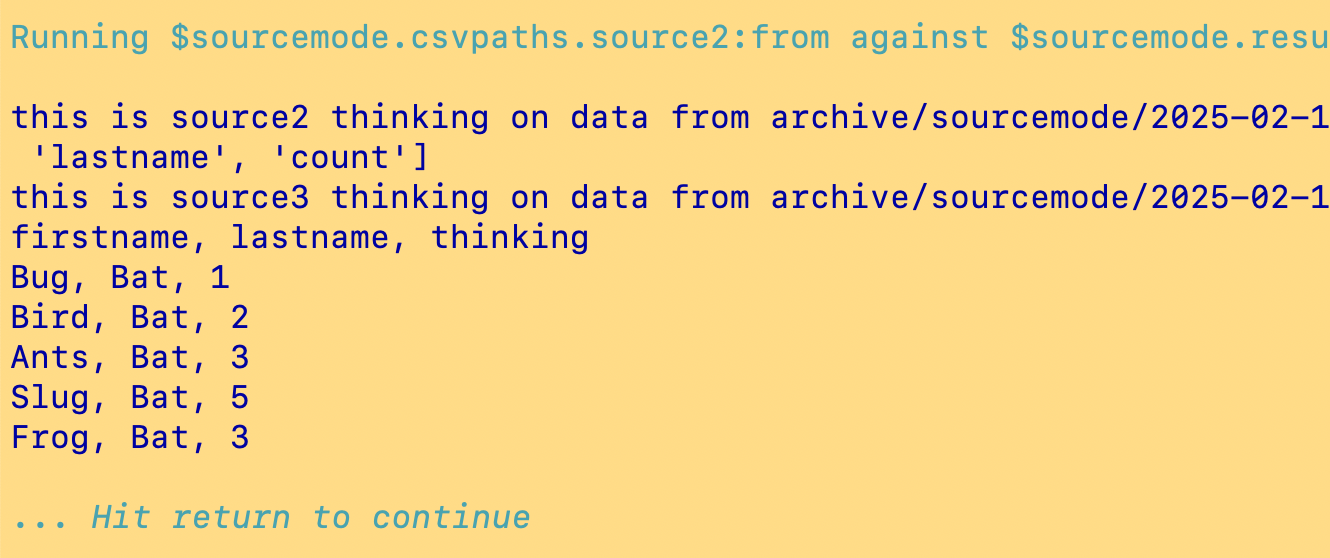
The result is a bit messy, but if you look closely those printouts tell us the csvpaths worked. Anyway, the `print()` statements in the csvpaths can be removed when you want to show off this trick to your friends.

Running a rewind/replay in the CLI is easy. But remember to reload your csvpaths when you make changes. We have a second csvpaths file that has our changes, so load it now. Use the same named-paths name as you did the first time.&#x20;

Now we're ready to rewind and replay using the same data generated by the `source1` csvpath with the new csvpaths. The new csvpaths file is only different in the `source2` and `source3` csvpaths, so we're going to start with `source2`:&#x20;

<div><figure><img src="/files/TbYCh5ozdXpbXJq0ZUIT" alt=""><figcaption></figcaption></figure> <figure><img src="/files/e82HCHxmy5TnTEnCzmoi" alt=""><figcaption></figcaption></figure> <figure><img src="/files/qpCLw6RRWnQoXnaNsOGj" alt=""><figcaption></figcaption></figure> <figure><img src="/files/ifONpXIi7VLisS53MLjH" alt=""><figcaption></figcaption></figure> <figure><img src="/files/igr5BiKNbKD0LhzLW40N" alt=""><figcaption></figcaption></figure> <figure><img src="/files/GdzoYKm2wxAydkOwCkd1" alt=""><figcaption></figcaption></figure> <figure><img src="/files/VHszyR93nXuJ8zwfoHWF" alt=""><figcaption></figcaption></figure> <figure><img src="/files/3Ugd3BOU8epf3kx9Pgyp" alt=""><figcaption></figcaption></figure> <figure><img src="/files/T3zuWEZVM3SNFY0Ui8S4" alt=""><figcaption></figcaption></figure> <figure><img src="/files/ZB9VxbueUWR9Kqko5gYU" alt=""><figcaption></figcaption></figure></div>

And there again we did the substitution of `thinking` for `working`. &#x20;

You can see that rewind/replay based on immutable data is straightforward — using the CLI or Python. If you need to redo any part of your process and you don't want to start at the very beginning, you have an easy way to do that. And because the data is immutable and the processing is idempotent, there is little risk in iterating on a solution. Using the CLI, if you prefer that approach, is just icing on the cake.

Here's a quick video to show the steps we took. Try it yourself.

&#x20;

{% embed url="<https://youtu.be/4mP4gbqe0rw>" %}


---

# Agent Instructions
This documentation is published with GitBook. GitBook is the documentation platform designed so that both humans and AI agents can read, navigate, and reason over technical content effectively. Learn more at gitbook.com.

## Querying This Documentation
If you need additional information that is not directly available in this page, you can query the documentation dynamically by asking a question.

Perform an HTTP GET request on the current page URL with the `ask` query parameter, and the optional `goal` query parameter:

```
GET https://www.csvpath.org/topics/how-tos/rewind-replay/doing-rewind-replay-part-2.md?ask=<question>&goal=<endgoal>
```

`ask` is the immediate question: it should be specific, self-contained, and written in natural language.
`goal` is optional and describes the broader end goal you are ultimately trying to accomplish on behalf of the user. GitBook uses it to tailor the answer towards what is most useful for that goal.

The response will contain a direct answer to the question and relevant excerpts and sources from the documentation.

Use this mechanism when the answer is not explicitly present in the current page, you need clarification or additional context, or you want to retrieve related documentation sections.